Best Gaming PC in 2026 – Ultimate Guide for Gamers
Gaming has evolved into a high-performance experience, and choosing the best gaming PC is crucial for smooth gameplay, stunning graphics, and fast performance. Whether you’re a casual gamer or a pro, the right setup can completely transform your gaming experience.
In this guide, we’ll help you understand how to choose the best gaming PC and what features matter the most.
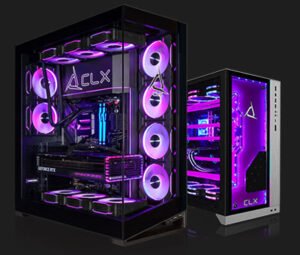
What is a Gaming PC?
A gaming PC is a powerful computer designed to run high-end games with better graphics, faster speed, and smoother performance compared to regular computers. It includes advanced components like a high-performance GPU, fast processor, and sufficient RAM.
Key Components of the Best Gaming PC
1. Processor (CPU)
The CPU is the brain of your gaming PC. For smooth gaming, choose:
- Intel Core i5 / i7 (12th Gen or higher)
- AMD Ryzen 5 / Ryzen 7
2. Graphics Card (GPU)
The GPU is the most important part for gaming. Best options:
- NVIDIA GeForce RTX 3060 / 4060 / 4070
- AMD Radeon RX 6600 / 7700 XT
3. RAM
- Minimum: 16GB
- Recommended: 32GB for heavy gaming
4. Storage
- SSD (Solid State Drive) is a must
- 512GB or 1TB NVMe SSD for fast loading
5. Power Supply (PSU)
Choose a reliable PSU (at least 550W–750W) for stable performance.
Best Gaming PC Builds (2026)
Budget Gaming PC
- CPU: Ryzen 5
- GPU: RTX 3050
- RAM: 16GB
- Storage: 512GB SSD
Perfect for casual gamers and beginners
Mid-Range Gaming PC
- CPU: Intel i5 (13th Gen)
- GPU: RTX 4060
- RAM: 16GB–32GB
- Storage: 1TB SSD
Best for high settings gaming
High-End Gaming PC
- CPU: Intel i7 / Ryzen 7
- GPU: RTX 4070 / 4080
- RAM: 32GB
- Storage: 1TB–2TB SSD
Ideal for pro gamers & streamers
Why Choose a Gaming PC Over Laptop?
✔ Better performance
✔ Upgrade options
✔ Longer lifespan
✔ Better cooling system
Tips to Choose the Best Gaming PC
- Always prioritize GPU over CPU for gaming
- Choose SSD over HDD
- Ensure good cooling system
- Buy from trusted brands or build custom PC